Track inning by inning
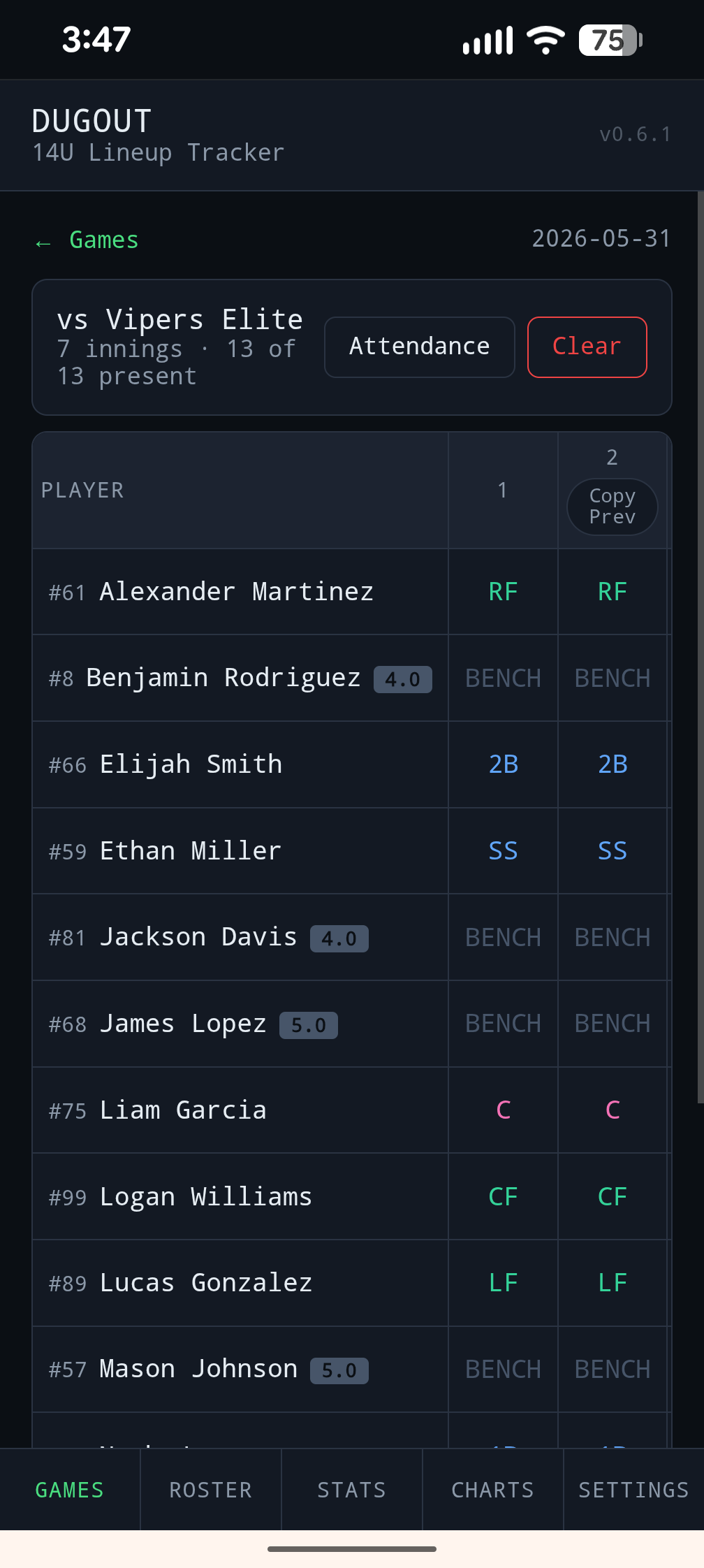
Set the starting positions, copy the previous inning forward, and update individual players when a substitution happens.
 Dugout Tracker
dugout.info
Dugout Tracker
dugout.info
Built by a baseball dad who wanted real answers
Dugout Tracker started when it felt like my son was sitting more than other kids on his travel team. I wanted to know if that feeling was true, where everyone was actually playing, and how to share the same facts with other parents and coaches. So I built a simple tracker to make innings, positions, and bench time visible.
Why I built it
Travel baseball moves fast. From the stands, it is easy to lose track of who sat last inning, who has been moved around the field, or whether one kid has been on the bench far more than everyone else.
When it started to feel like my son was sitting more than others, I did not want to rely on emotion or memory. I wanted a record. Dugout Tracker became that record: a simple way to capture each inning and see how the season actually looks.
“The point is not to win an argument. The point is to help kids keep developing, keep learning new positions, and keep loving baseball.”
When parents and coaches can look at the same data, the conversation gets better. Instead of guessing, everyone can see the same lineup history, bench time, and position usage.
What the app does
Set the starting positions, copy the previous inning forward, and update individual players when a substitution happens.
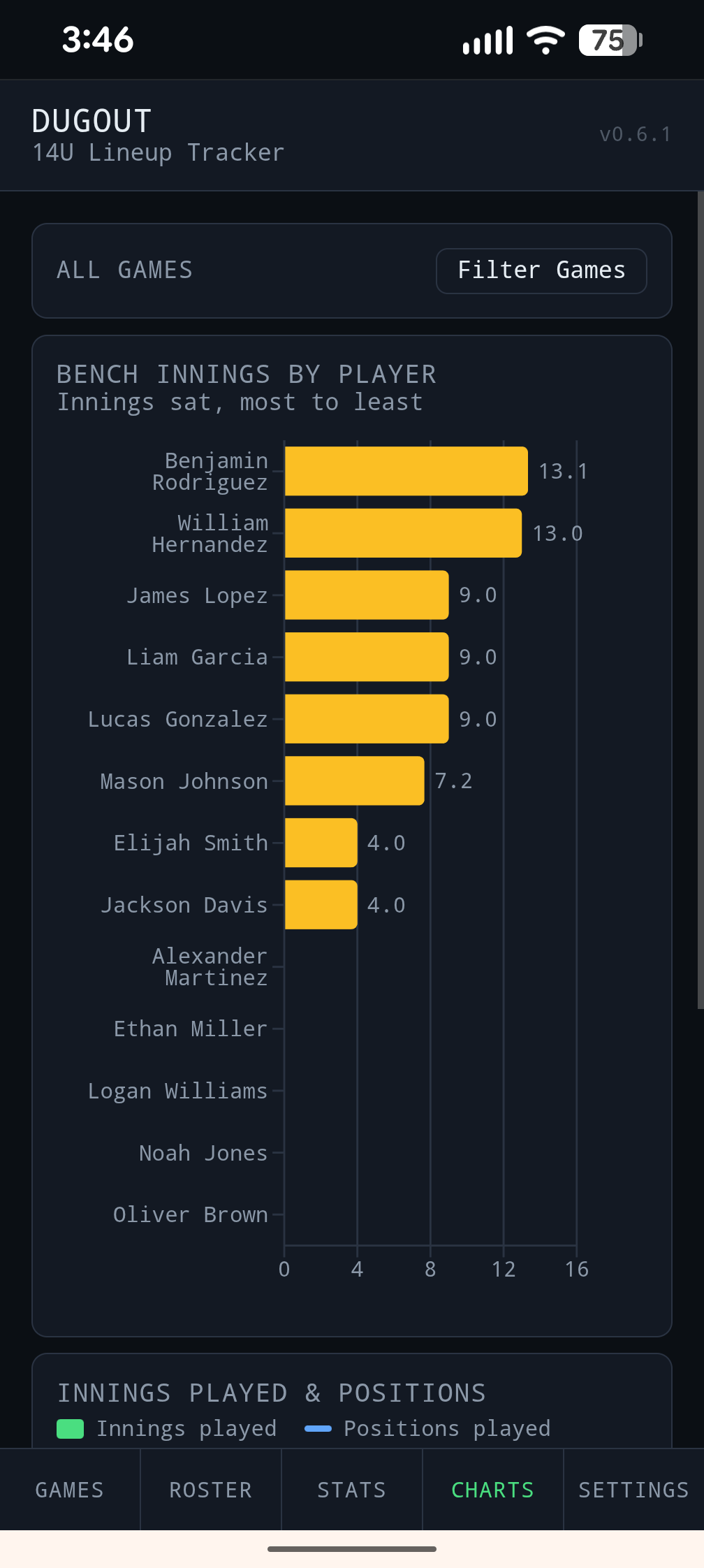
Charts and stats show who has played, who has sat, and which positions each player has actually seen over time.
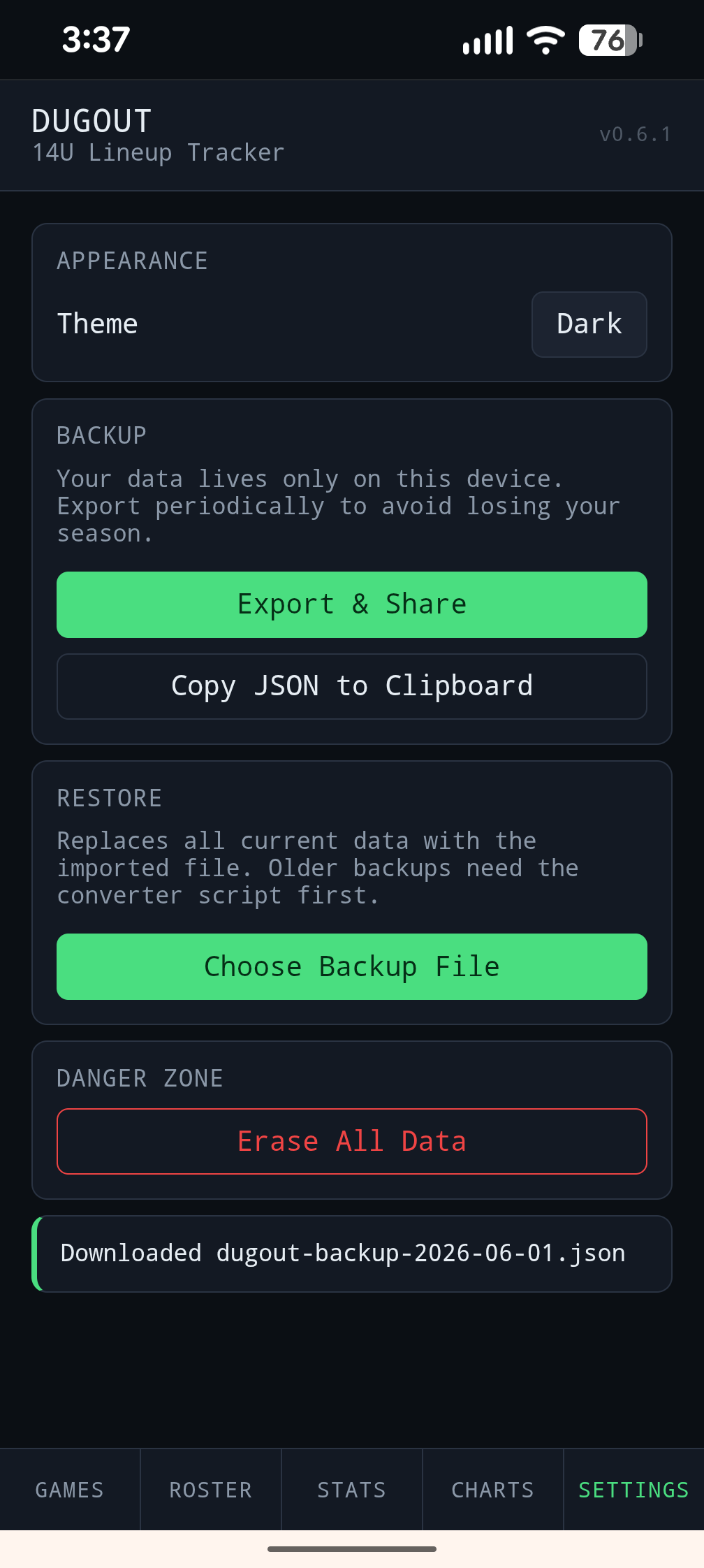
Export the season data from the phone and email or share it with other parents and coaches so everyone sees the same details.
The tracker runs in the browser, works like an installable app, and keeps data on the device until you choose to share it.
Add Dugout Tracker to your desktop or home screen from the browser install option. That install step is required if you want to use the app offline at the field.
Screenshots
Why it matters
Replace the “it feels like” conversation with a season record you can actually review.
Check your rotation patterns quickly and spot whether certain kids are missing meaningful field reps.
More informed decisions can lead to more balanced reps, better skill development, and more confidence in the game.
Free for parents and coaches
Dugout Tracker is built to be practical on the field, useful after the game, and simple enough to use from a phone in the dugout.
For offline use, install the app to your desktop or home screen from the browser first.